
When payroll and ERP systems don’t agree, the problem usually shows up quietly at first. A few manual reconciliations here. A spreadsheet there. A report that needs “just one more check” before leadership sees it.
Over time, those small gaps become something bigger: teams lose confidence in the numbers, close cycles slow down, and payroll becomes a recurring source of friction instead of a reliable input into financial decision-making.
For organizations using Acumatica, payroll integration is often the missing link between operational reality and financial truth.
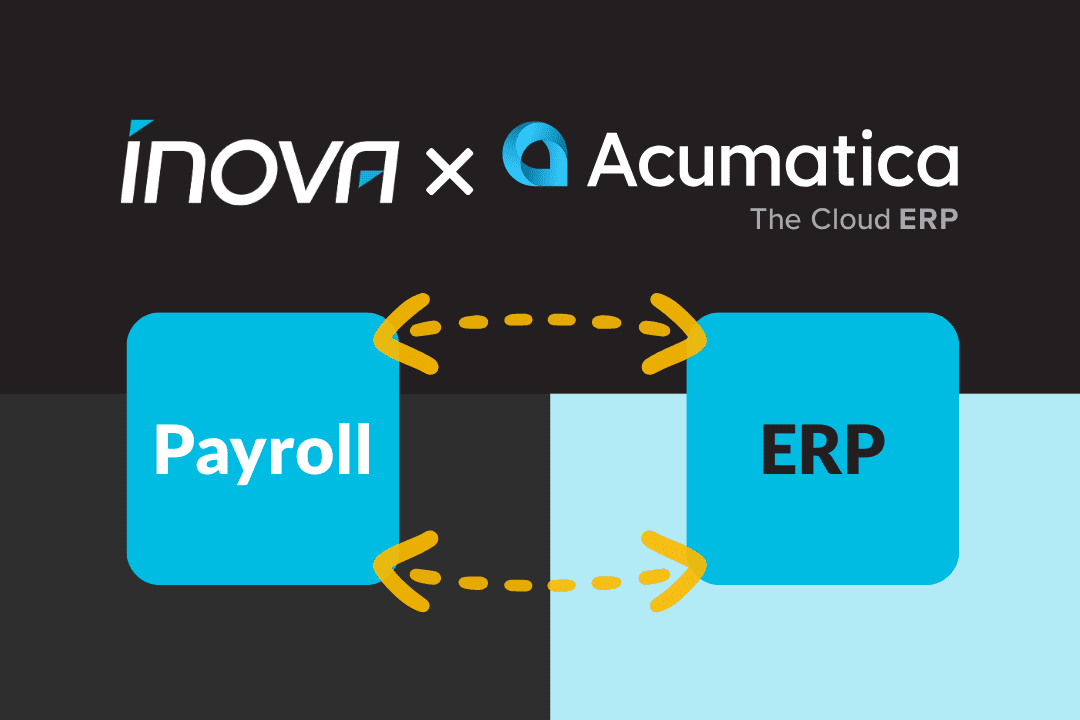
An Acumatica payroll integration fixes ERP and payroll data gaps by ensuring labor data flows automatically into financial reporting, job costing, and the general ledger. Instead of reconciling payroll after the fact, finance and operations teams work from a single, consistent source of truth that improves accuracy, visibility, and confidence as the organization scales.
How Does the Acumatica x Inova Payroll Integration Work?
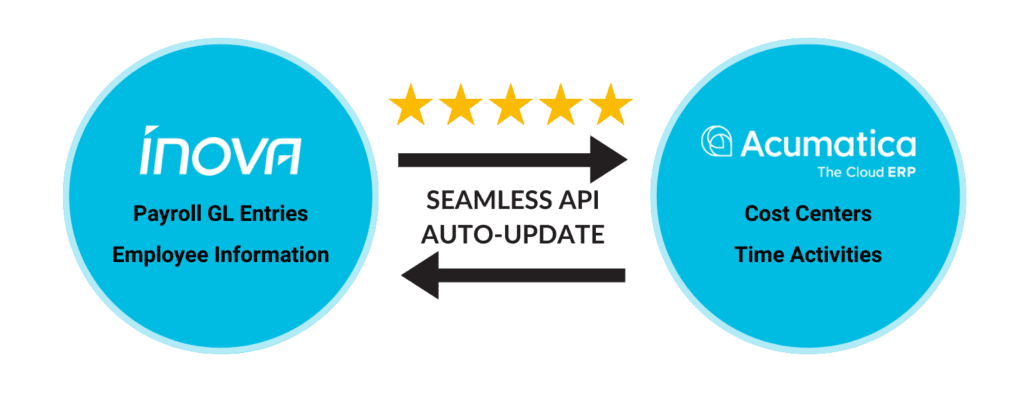
Rather than moving data in a single batch at the end of the process, an Acumatica payroll integration connects payroll to the systems where labor data originates, is categorized, and ultimately reported. That connection is made through several coordinated data syncs, each serving a specific purpose in keeping payroll and ERP data aligned.
Time activities sync
Hours entered in Acumatica sync into employee pay statements in Inova Payroll, including regular and overtime earnings. When time is associated with projects, cost codes, or labor items, that detail carries through so labor can be reflected accurately in payroll and downstream reporting.
Cost center and job costing sync
Job costing elements such as cost codes, project tasks, and other labor categories are synced from Acumatica into Inova Payroll. This ensures payroll uses the same cost structure as the ERP, helping labor costs stay consistently categorized across systems.
Employee demographic sync
Employee records created or updated in Inova Payroll sync into Acumatica, keeping core details like employee ID, department, class, labor item, and status aligned. Changes made in payroll are reflected in the ERP, reducing manual maintenance and data mismatches.
Journal entry and general ledger sync
After payroll is finalized, payroll journal entries are transmitted into Acumatica. Labor expenses and related payroll costs are recorded in the general ledger based on defined parameters, supporting accurate financial reporting without additional reconciliation.
Together, these integration points ensure payroll data moves from time entry to job costing to the general ledger in a consistent, auditable way, allowing payroll to function as a reliable input into Acumatica rather than a downstream correction process.
Why Payroll and ERP Data Gaps Are So Common in Growing Businesses
Most organizations don’t set out to build fragmented systems. Payroll, HR, and operations tools are often adopted at different stages of growth, each solving an immediate need at the time.
What works at 40 or 50 employees can start to strain at 150 or 300. Manual processes multiply. Branches or departments operate slightly differently. Reporting becomes harder to standardize. Payroll data still exists, but it no longer lines up cleanly with ERP reports.
This is where data gaps form, not because teams are careless, but because growth exposes processes that were never designed to scale. These gaps tend to show up in consistent, recognizable patterns as organizations grow, from duplicate data entry to reporting discrepancies that require constant follow-up.
How Payroll Data Gaps Undermine Financial Accuracy in Acumatica
Acumatica is only as reliable as the data feeding it. Labor is too large and too variable to approximate in an ERP alone. According to the U.S. Bureau of Labor Statistics, wages and salaries make up the majority of employer compensation costs in private industry, which means even small payroll inaccuracies can materially distort financial reporting and job costing over time. When payroll isn’t integrated, finance teams often find themselves reconciling labor costs after payroll runs instead of trusting the numbers in real time.
That creates a ripple effect. Job costing becomes less precise. Forecasts rely on adjusted data. Leadership reviews reports knowing there are caveats attached. Over time, the ERP becomes a record-keeping tool rather than a decision engine.
CFOs and controllers feel this tension most acutely. They aren’t just managing payroll. They’re managing confidence in the financial picture.
The Operational Impact of Disconnected Payroll and ERP Systems
Operations teams experience the same problem from a different angle. Without integrated payroll data, labor visibility lags behind reality. Project margins are harder to assess. Field activity doesn’t always translate cleanly into financial outcomes.
One CFO described life before integration as a constant cycle of duplicate entry, limited reporting, and manual corrections between payroll and operational systems. When payroll data isn’t integrated, the impact often extends beyond finance into job costing, scheduling accuracy, and compliance workflows that depend on consistent labor data. From a compliance standpoint, that risk is not theoretical. The IRS applies failure-to-deposit penalties ranging from 2% to 15% of unpaid payroll taxes, depending on how late a deposit is made, making accuracy and timeliness critical in payroll processes. The work got done, but it came at the cost of time, accuracy, and trust across teams.
When payroll data finally flows into Acumatica the way it should, those friction points start to fade.
How an Acumatica Payroll Integration Closes These Data Gaps
A unified payroll solution connects labor data from its source directly into Acumatica’s financial framework. Hours don’t need to be reentered. Labor costs don’t need to be reconciled manually. Reporting reflects what actually happened, not what was adjusted later. From a controls perspective, this is fundamentally a data integrity issue. Since the goal of data integrity is to ensure information remains accurate and consistent from creation through reporting, it becomes especially important in payroll and ERP environments where data moves across multiple systems. This is exactly where manual payroll handoffs and disconnected workflows tend to introduce risk.
In practice, this means payroll becomes a clean input into the ERP instead of a downstream cleanup effort. Finance and operations are working from the same data, at the same time, without extra handoffs.
For finance teams, this also means labor-related costs such as wages, employer taxes, and associated labor expenses are recorded directly into Acumatica’s general ledger in a consistent and timely way. Payroll activity is reflected in the correct accounting period, reducing the need for accrual adjustments and helping ensure job costing, financial statements, and close processes accurately reflect labor as it is earned.
As David Figus, CFO of Green Garden Group Landscaping, explained,
“ The connection between Inova and Acumatica has significantly improved our general ledger reporting and our direct labor visibility. We’re now able to break down hours and units by project, by job, and all that has proven big dividends for our operations guys and allowed them the ability to get more detailed on what projects we want to keep and what projects we may need some additional billing on. “
That kind of end-to-end visibility changes how teams operate.
What This Looks Like in Practice
For teams using Acumatica, payroll integration works best when it’s designed to fit existing finance and operations workflows rather than forcing process changes. A closer look at how payroll connects with Acumatica can help clarify what data flows where and how teams maintain accuracy across labor, reporting, and the general ledger.
Why Payroll Integration Becomes Critical as Organizations Scale
Once payroll data flows directly into Acumatica, the conversation shifts from fixing problems to actually using the system as intended. Instead of reconciling after every payroll cycle, teams start seeing leading indicators they can act on.
An Acumatica payroll integration typically delivers benefits like:
- Reduced administrative effort, as duplicate entry and manual reconciliation are eliminated
- More accurate labor reporting, with payroll data feeding directly into ERP financials
- Improved job costing visibility, giving operations clearer insight into true project margins
- Faster and more confident month-end close, driven by consistent, trusted data
- Greater transparency across teams, from finance and accounting to operations and project managers
In practice, these improvements add up quickly. One finance leader estimated their team reduced administrative payroll effort by 30 to 40 percent after integrating payroll with Acumatica, while also accelerating close timelines and improving confidence in labor data across the organization.
What Problems Does an Acumatica Payroll Integration Solve?
At a practical level, integrating payroll with Acumatica helps organizations eliminate manual reconciliation, improve labor visibility, and restore confidence in financial and operational reporting. By closing data gaps between payroll and ERP systems, teams gain more accurate job costing, faster close cycles, and a clearer view of labor-driven performance. That clarity matters for decision-making. Research from MIT has found that organizations that rely more heavily on data-driven decision-making tend to see productivity gains in the range of roughly 3 to 6 % compared to their peers. Integrating payroll with your ERP does not create better strategy on its own, but it removes one of the most common barriers to it: operational and financial data that leadership does not fully trust.